To make the Hotel Lobby AI video you need two photos, one per person. Upload them to the Hotel Lobby AI video generator, wait about five minutes, download the vertical clip, and add the trending sound inside TikTok, Reels or Shorts when you post. The rest of this guide explains each step and the mistakes that make a clip look wrong.
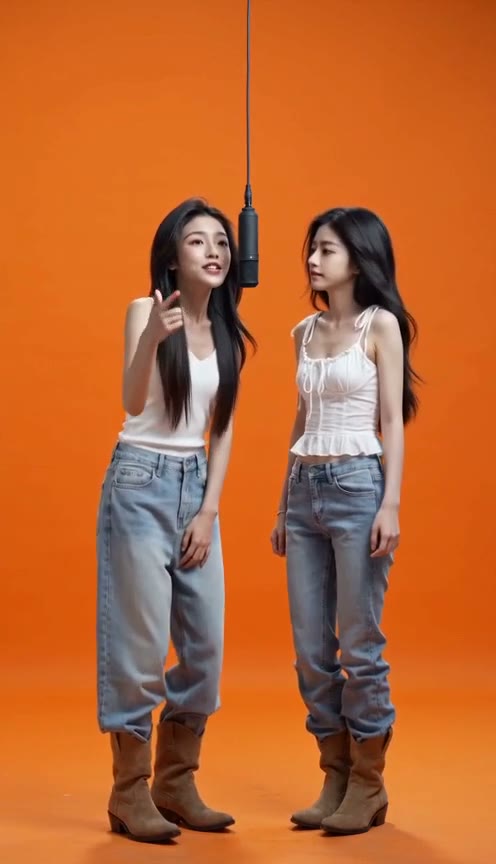
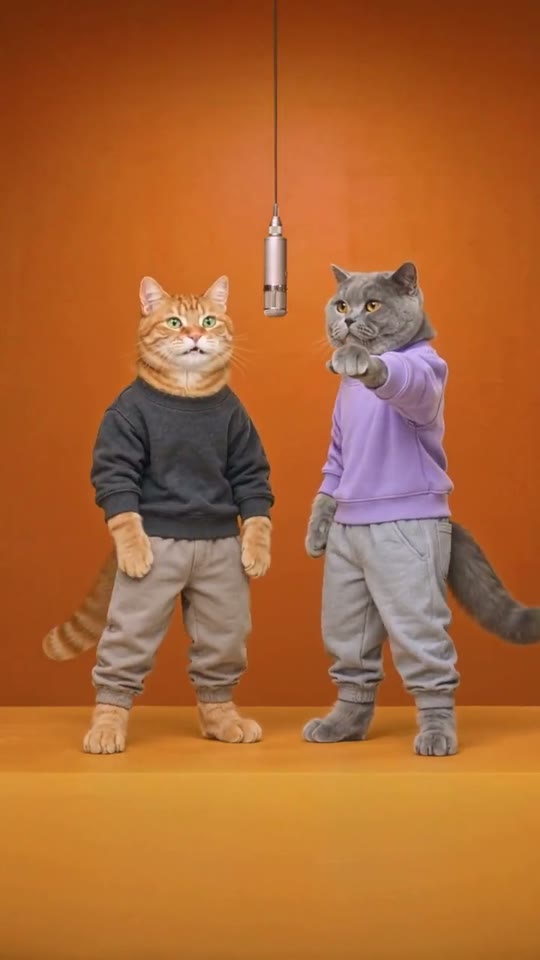
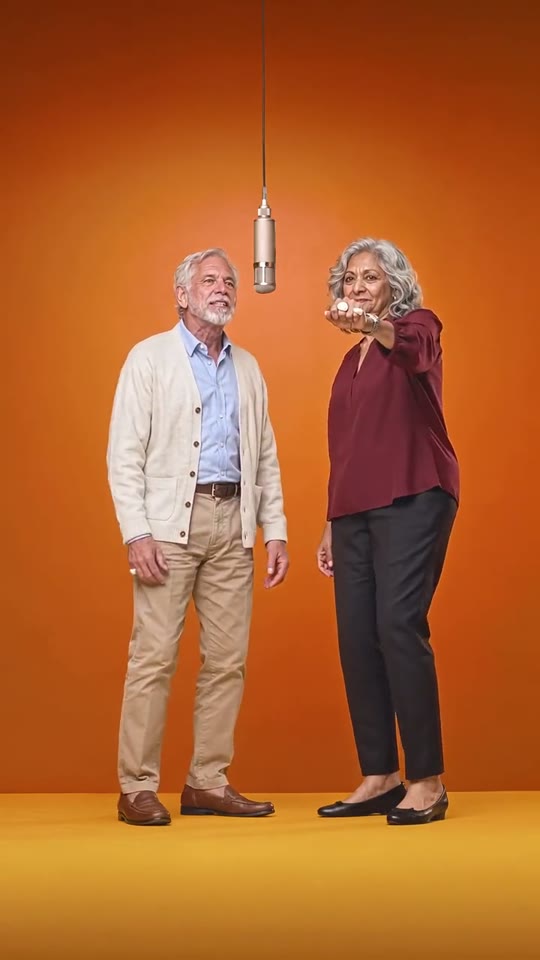
What the Hotel Lobby trend looks like
The trend recreates a 2022 studio performance of the song "Hotel Lobby": two performers stand in a bright orange room and share one black microphone that hangs from the ceiling between them. They take turns rapping into it while the other one nods and reacts. The camera never moves and there are no cuts.
In September 2026 people started using AI video models to put friends, parents, pets and fictional characters in place of the original performers. The name comes from the song, not from a real hotel lobby, so you will not find a lobby anywhere in the video.
Three things make a clip read as the Hotel Lobby trend:
- the orange floor and walls with nothing else in the room
- the single hanging microphone between two people
- the two people taking turns, filmed from the front in one shot
What you need
- Two photos. One person (or one animal) per photo. The two do not need to be in the same picture.
- Consent. Only use photos of yourself, of people who agreed to be in the video, or of your own pets. Photos of public figures and of minors are not allowed.
- Credits on AI Trend Templates. Each video costs credits; a failed generation is refunded automatically.
You do not need CapCut, a video editor or the original song.
Step 1: Pick two photos that work
The model copies faces, hair, skin tone and body type from your photos, so the photos decide how good the result looks. Use photos where:
- the face is fully visible and looks at the camera
- the light is even, without strong shadows across the face
- there is only one person in the frame
- the file is a JPG, PNG or WebP
Clothes in the video follow the photos. If you want matching outfits or costumes, wear them in the photos.
Pairs that people share most are the unexpected ones: two cats, grandparents, a boss and an intern, or the same person twice. Upload the same photo on both sides and you get a duet with yourself. The Hotel Lobby meme generator page has more pairing ideas.
Step 2: Upload and generate
- Open the Hotel Lobby AI video generator.
- Upload the first photo as the person on the left and the second as the person on the right. The order matters: the two people stay on the side you put them.
- Confirm that everyone in the photos agreed to appear, then press Generate.
The generator builds the whole scene around your two people: the orange studio, the hanging mic and the back-and-forth rap. You get a 10-second vertical (9:16) MP4.
Step 3: Wait about five minutes
Generation usually takes around five minutes. You can close the page; the finished clip is saved in My Videos. If the generation fails, the credits go back to your balance without you doing anything.
Step 4: Add the trending sound when you post
The video comes with an original beat, not the "Hotel Lobby" recording. That is on purpose: when you add the song from the platform's own sound library, the platform handles the music license. Add it there:
- TikTok: upload the clip, tap Add sound at the top of the editor, search for "Hotel Lobby" and pick the trending version.
- Instagram Reels: upload the clip, tap the music icon and search for the same sound.
- YouTube Shorts: upload the clip, tap Add sound and search for it.
The sound is what tells viewers which trend they are watching, so do not skip this step. Turn the original beat down to zero if the app lets you.
Common problems and how to fix them
The faces do not look like the photos. Use sharper, front-facing photos with the whole face visible. Group photos and side profiles give the model less to work with.
The two people swapped sides. Check that the photos are in the right slots. Left is the first upload, right is the second.
The background is not orange. On this site the background is fixed to the orange studio, because that is what makes the trend recognisable. If you are running your own prompt on another model, describe the room before the people; see the Hotel Lobby AI video prompt for the exact wording we use and why each line is there.
Can you make it for free?
Partly. Many "Hotel Lobby AI template" results are free CapCut-style templates, but they only paste your face onto the original performance: the bodies, clothes and moves stay the original performers'. The Hotel Lobby AI template page explains the difference.
If you already pay for an AI video model that accepts two reference photos, such as Seedance 2, you can copy our Hotel Lobby AI video prompt for free and run it yourself. Expect a few retries when a face drifts. On this site you pay per finished video and failed runs are refunded.
Quick checklist
- Two clear, front-facing photos, one person each
- Everyone in the photos agreed
- Left and right in the order you want
- Download the MP4 from My Videos
- Add the "Hotel Lobby" sound in the app before you post
Ready? Make your Hotel Lobby AI video.